
BeamStop / Diffraction analysis software
Your diffraction analysis workflow, in one place.
BeamStop is Finden’s graphical software for exploring and analysing diffraction data — from individual patterns to grouped measurements, time series and spatial scans. Inspect patterns, build structural models and follow how fitted parameters change across your dataset.

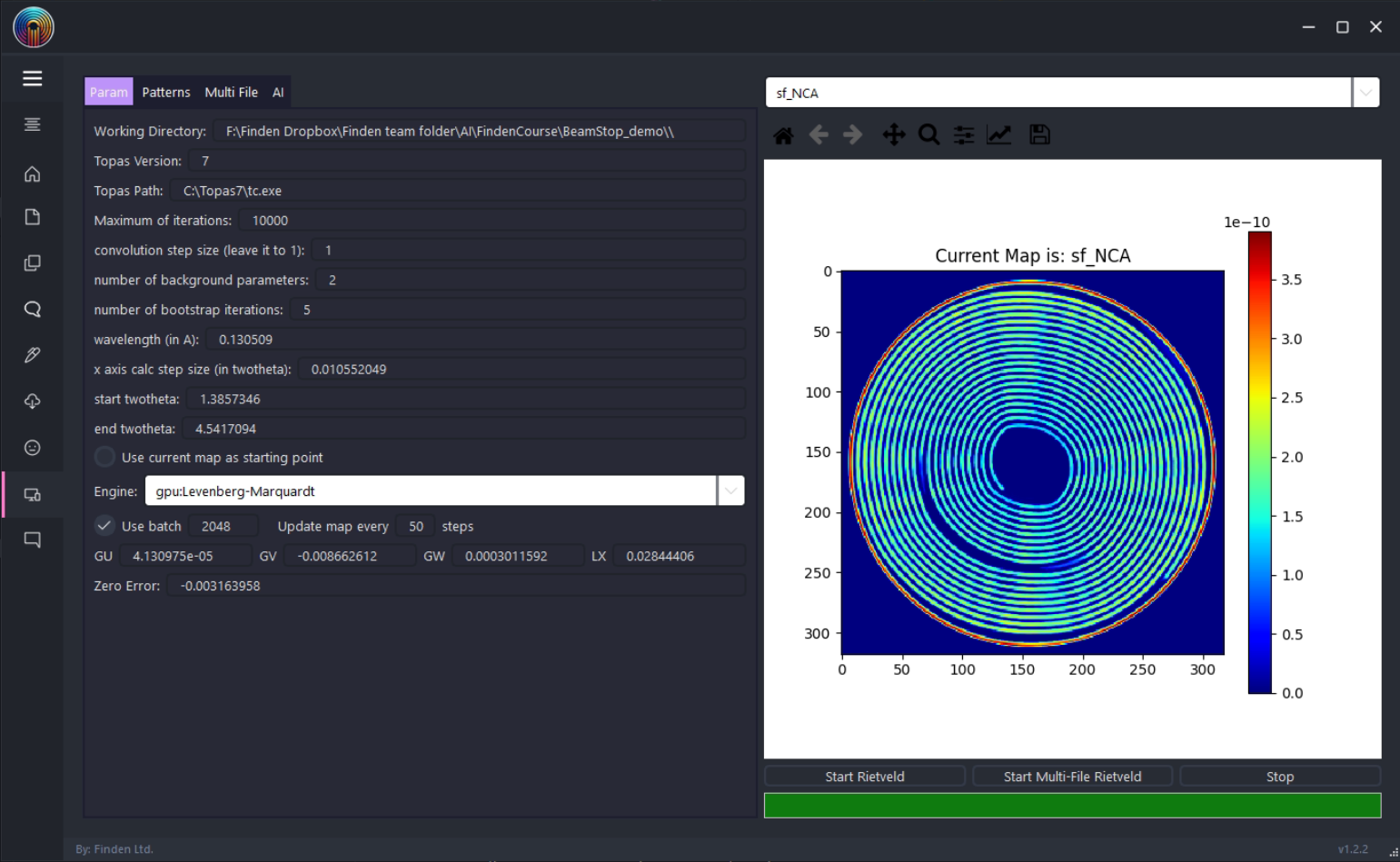
What you can do with BeamStop
From data inspection to structural analysis.
Bring data preparation, interactive exploration and quantitative analysis into a connected, tab-based workspace.
Import and organise
Load HDF5 datasets, configure diffraction angles and wavelength, and work with CIF structures and saved JSON models.
Explore patterns and datasets
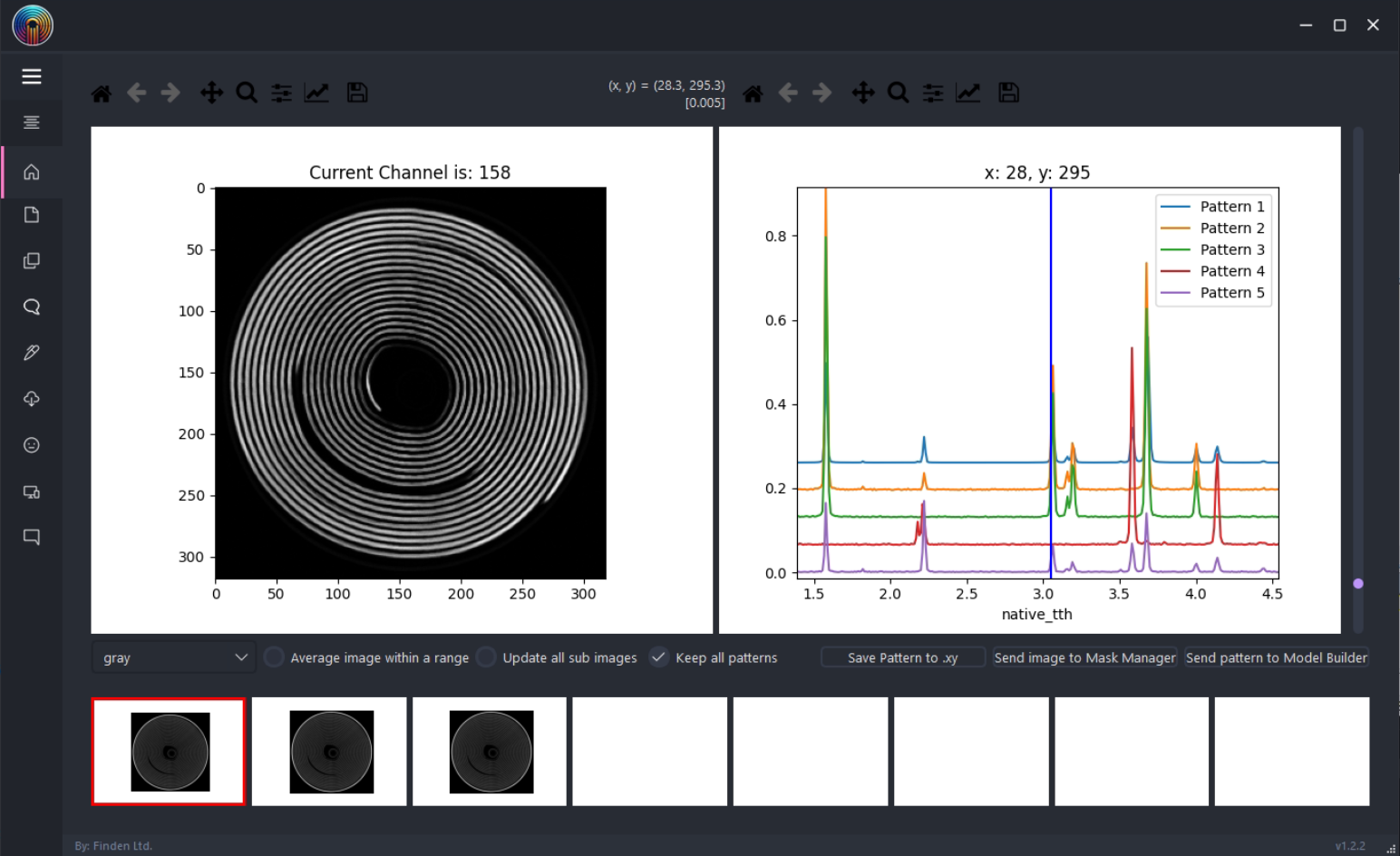
Inspect and compare diffraction patterns across a series or scan. For spatial datasets, link individual patterns with their location in the map.
Define regions of interest
Create and combine masks using drawing, geometric selection and intensity thresholds to focus on the sample regions that matter.
Find patterns with clustering
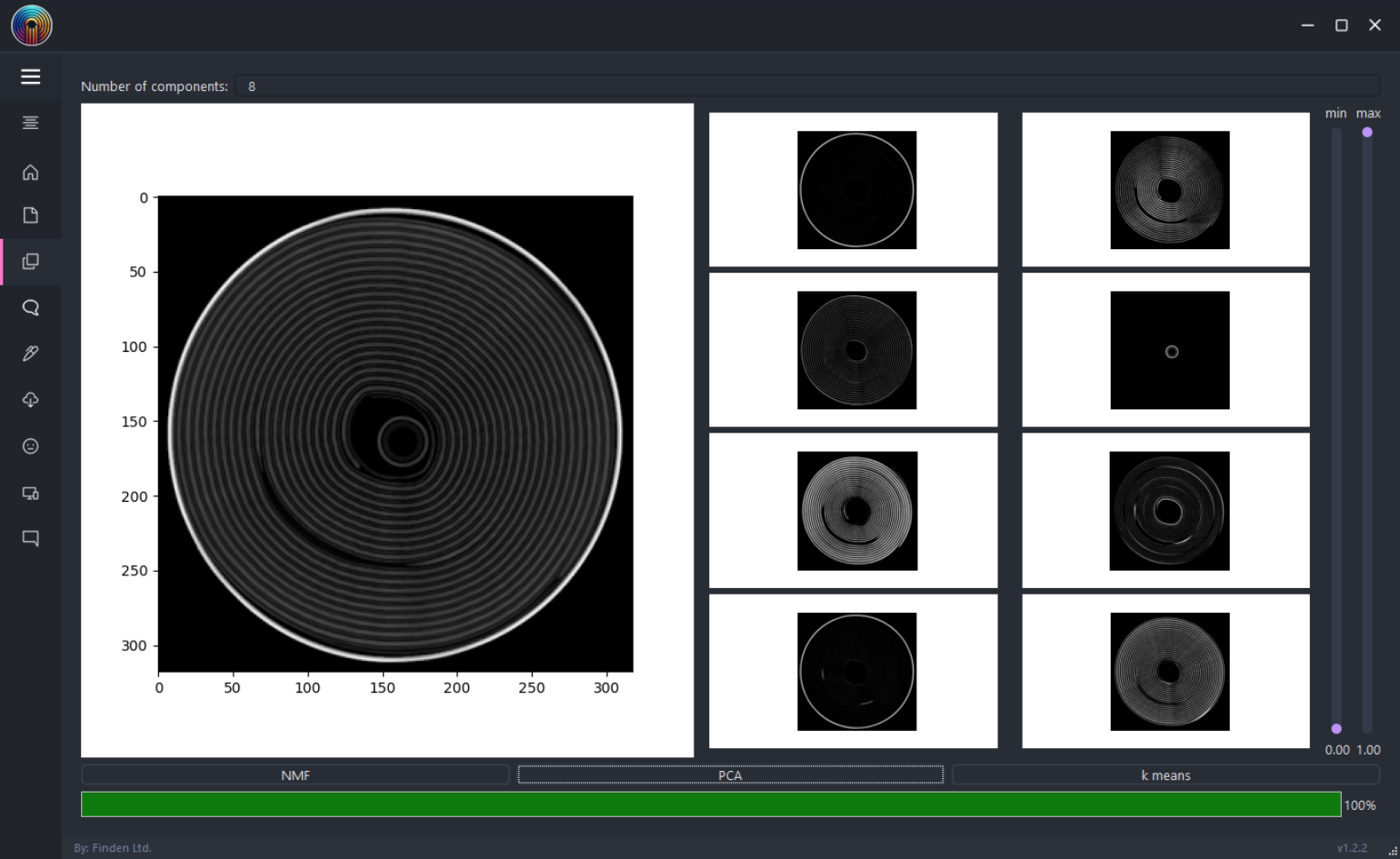
Use PCA, NMF and k-means to explore similarities and variations across groups of diffraction patterns.
Fit diffraction peaks
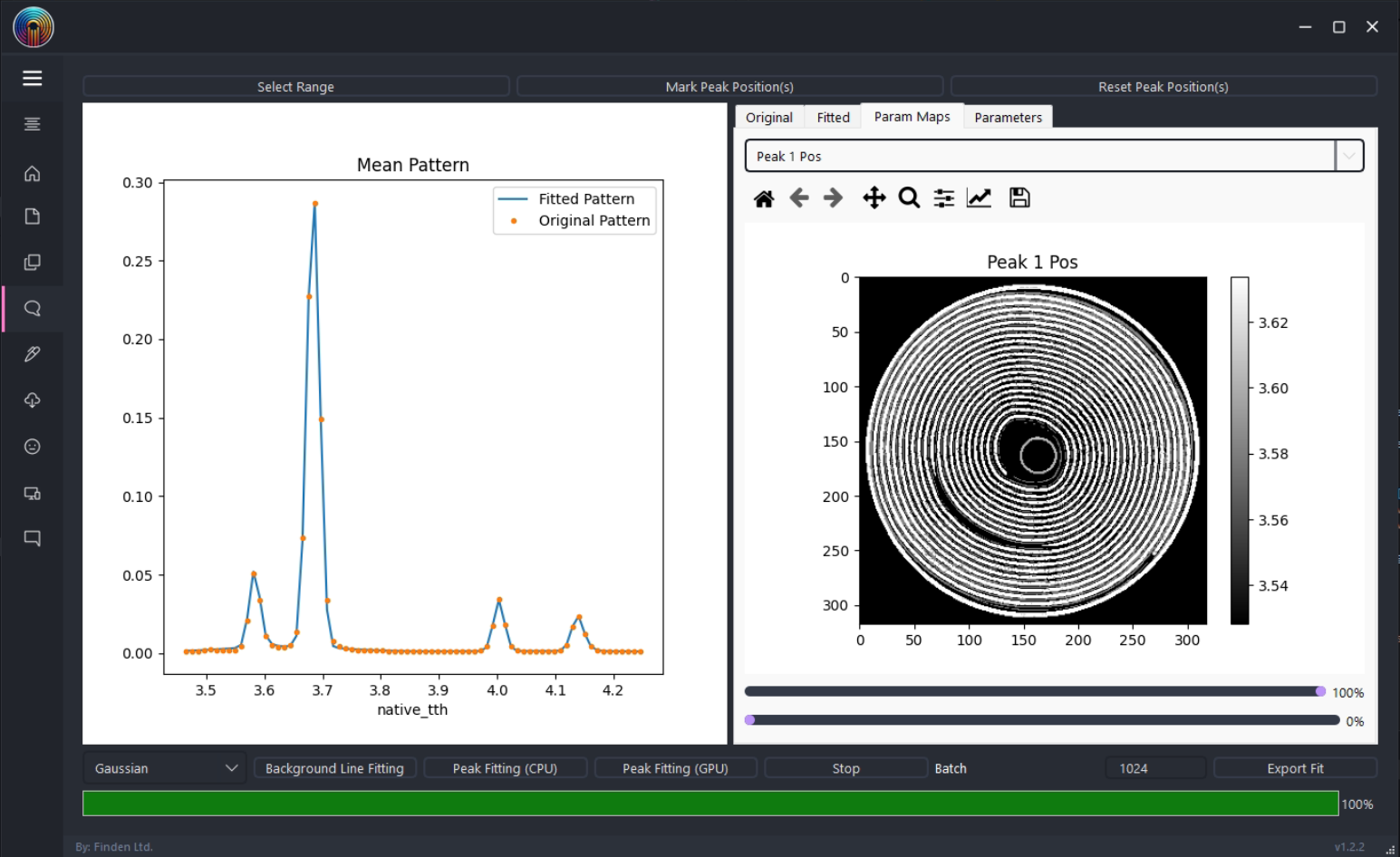
Fit individual or multiple peaks and compare their position, intensity and width across your measurements.
Refine structural models
Build multiphase models and refine individual patterns or batches using native CPU, GPU or integrated TOPAS workflows.
One connected workflow
Explore. Build. Refine.
Move from diffraction patterns to structural information. Apply a consistent model across grouped measurements and examine changes with time, measurement order or sample position.
Understand your data
Compare individual patterns, explore variations across your measurements and select the data you want to analyse.
Set up the model
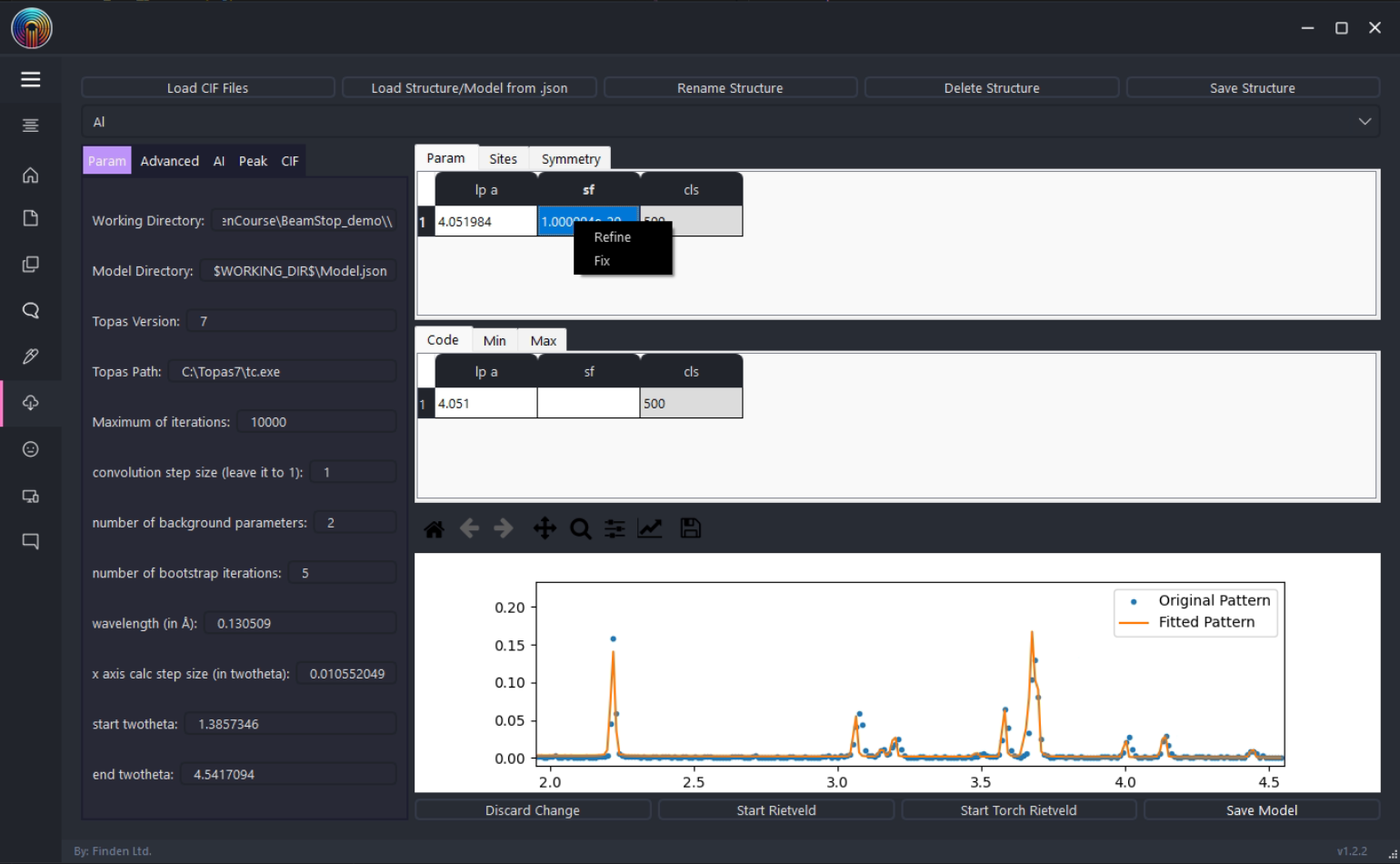
Work with crystal structures, phase parameters and peak-shape settings before refining your dataset.
Follow structural changes
Refine your dataset using CPU, GPU or TOPAS, then compare fitted profiles and parameter variations across a series or scan.
Model-driven analysis
Keep the model in view.
Build and inspect a multiphase model before applying it across a group of patterns. Compare observed and calculated profiles, adjust refinement parameters and investigate differences between measurements.
Whether your measurements follow time, a scan path or an image grid, the diffraction pattern and structural model remain central to the analysis.
Read the research
BeamStop preprint
Explore the software and analysis workflows in the preprint on ChemRxiv.
DOI: 10.26434/chemrxiv-2025-m1v5v/v2
Case Study / NCA battery
BeamStop in action: mapping a battery.
This case study illustrates BeamStop’s Image Rietveld workflow on an NCA battery dataset: fit the diffraction patterns, map the phase scale factors and inspect the quality of each fit.
Refinement time in the recorded demonstrations
Recorded speed-up
GPU versus TOPAS in this Battery demonstration comparison.*
*Times and speed-up are rounded to whole numbers from the labels of the recorded Battery demonstrations, not from video duration or the separate runs used for the maps below. These records do not establish identical model settings, software versions or timing boundaries. This is a demonstration comparison, not a controlled benchmark or a general speed guarantee; performance depends on hardware, dataset and refinement settings.
Compare phase distributions and fit quality
TOPAS, native CPU and GPU results are displayed with shared colour scales to help assess their spatial similarities and differences.
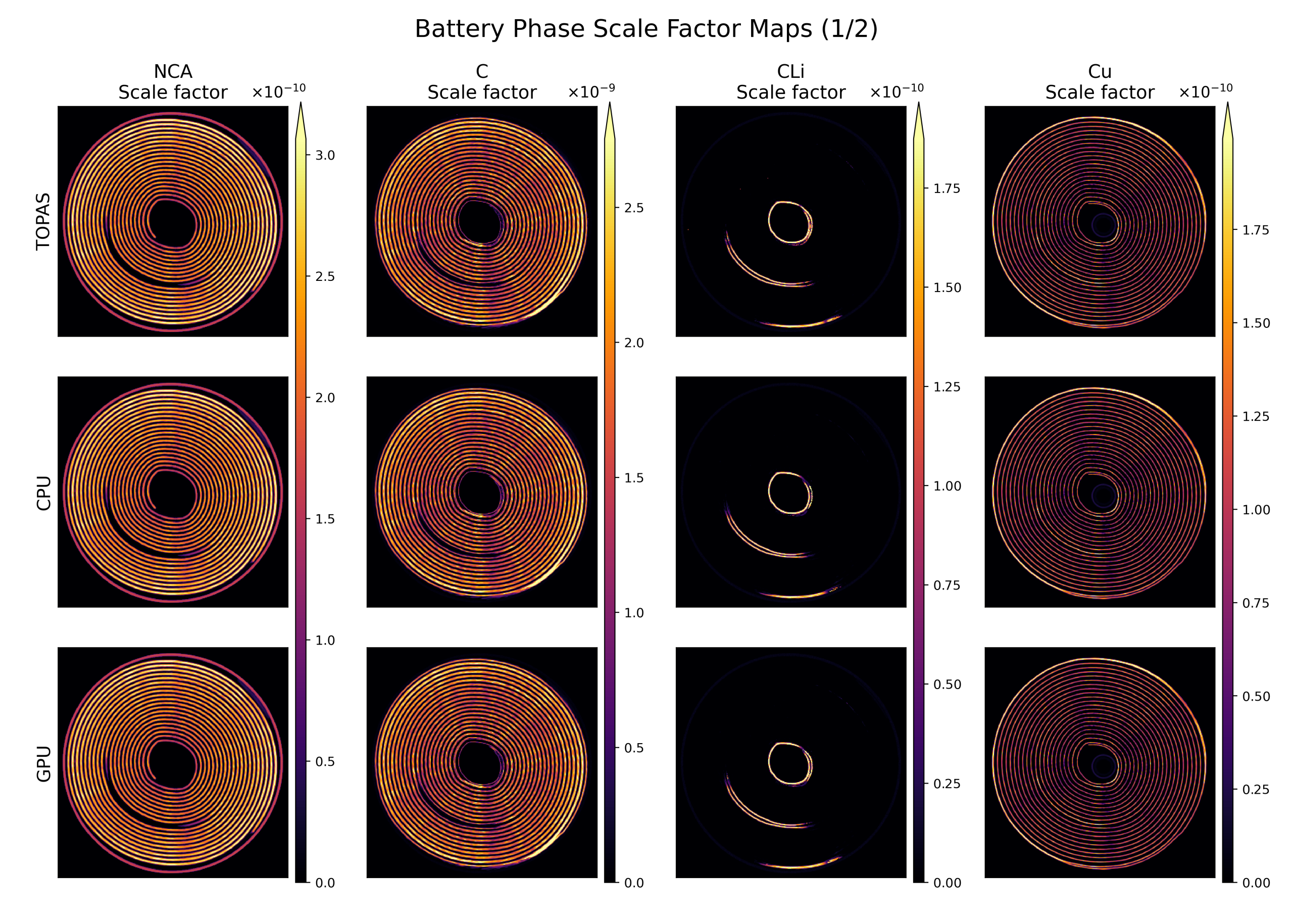
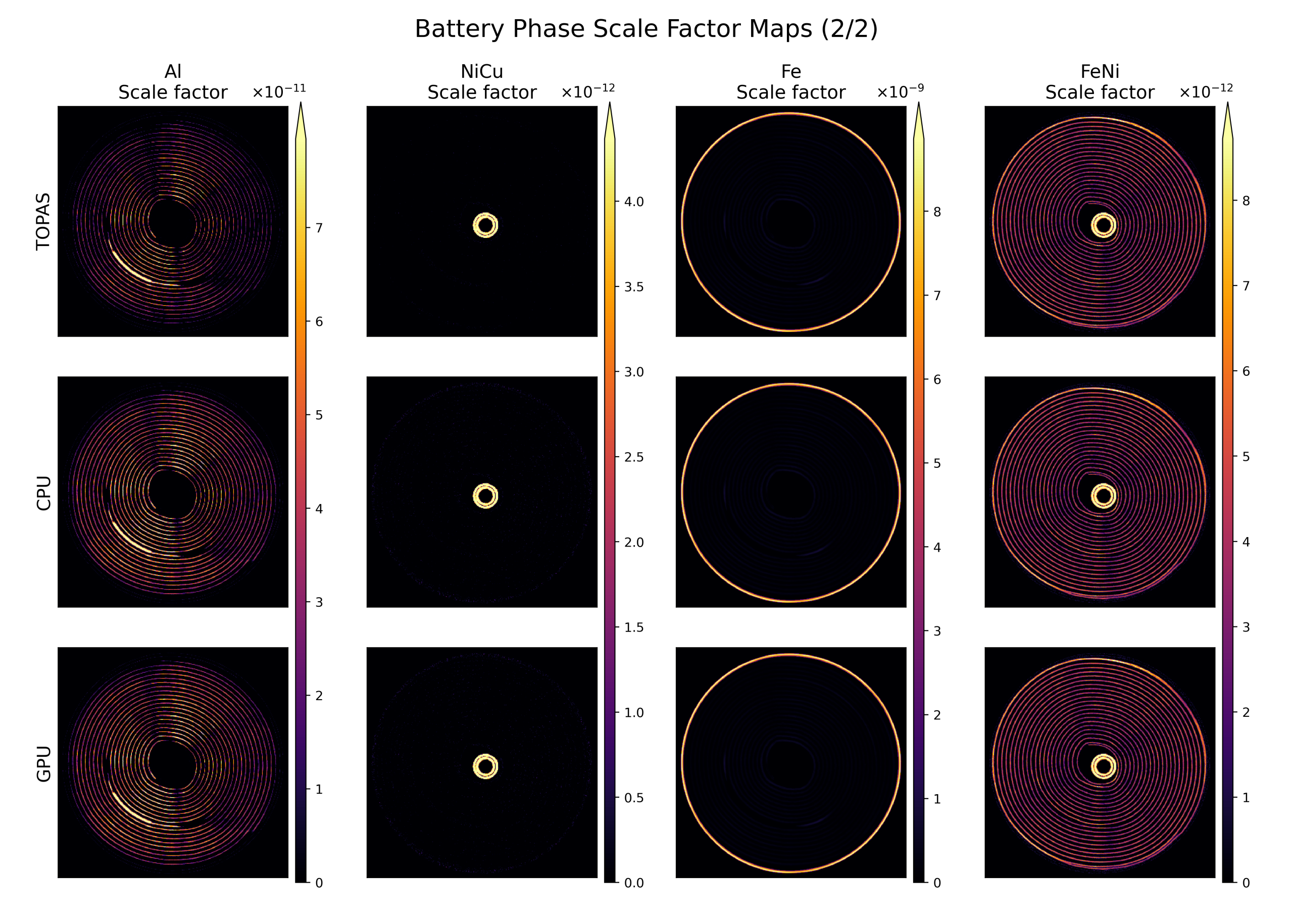
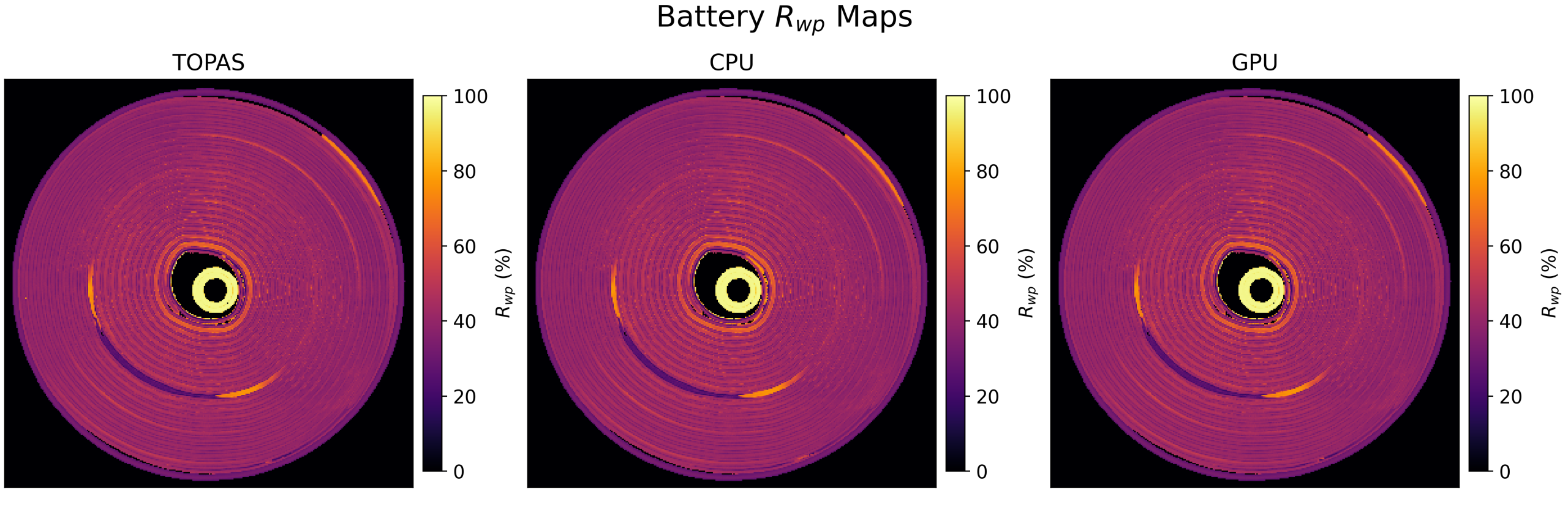
Both figures use the same observed-signal mask, retaining 71,735 pixels. Excluded low-signal regions are shown using the colour-scale minimum for display only; this does not indicate zero phase content or zero residual. All 101,124 patterns were fitted; masking only affects the display. The map comparison uses a common starting model, observations, wavelength, bounds and fixed peak shape, with backend-specific stopping rules. TOPAS is a numerical comparison reference, not ground truth.
Learn the workflow
BeamStop tutorials
Browse all seven tutorials using the arrows, or select a video from the list below the player.
Bring your data to the conversation.
Contact Finden to discuss BeamStop and your diffraction analysis workflow.